The full picture
Your next decision starts here.
Photo-based repair estimates, built around the vehicle in front of you.
Turn vehicle photos into complete,
shoppable repair reports.
Understand the damage. Find the parts.
Plan your maximum bid—all from your iPhone.
Available on the App Store · In-app purchases
Prefer a browser? Open AutoEstimatePro ↗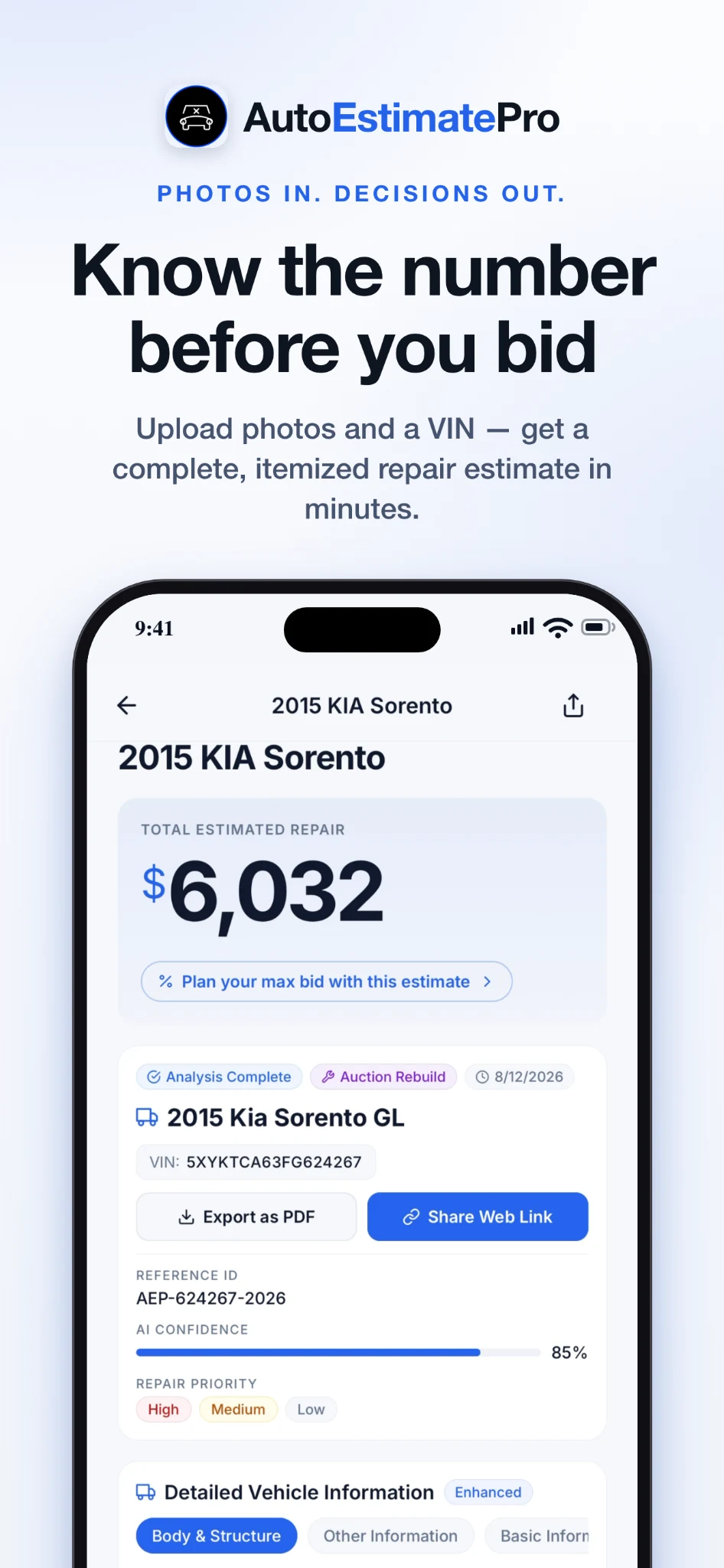
Salvage buyers · Used car dealers · Vehicle owners · Body shops
A CLOSER LOOK
From the first photo to your final bid.
Explore the tools behind your next move.
Photo-based repair estimates, built around the vehicle in front of you.
See repair, replace, and inspect recommendations, with damage severity and supporting detail.
Compare flip, rebuild, and salvage strategies before deciding what a vehicle is worth to you.
Explore OEM, used, and aftermarket options with live supplier listings and direct purchase links.
Review parts, labor, and paint in a line-by-line estimate. Adjust the labor rate to your market.
Bring a vehicle into your workflow using its VIN or a supported auction lot number.
Account for buyer fees, bid fees, and transport when planning the total cost of an auction purchase.
Review available repair procedure information, torque specifications, and calibration considerations.
Photograph a part to help identify it and explore buying options for your vehicle.
Keep vehicle estimates together. Revisit reports, export a PDF, or share a report link.
Swipe to explore all 10 screens. Select any screen to view it in full. Screenshots show example reports.
PHOTOS IN. DECISIONS OUT.
A car repair estimate from photos, with the detail to act on.
Enter the VIN and upload clear photos of the damage. Capture the impact area from several angles.
Review damage, repair recommendations, parts, and labor in an itemized preliminary report.
Compare parts, evaluate your bid, or share the report with your shop before committing.
INSIDE YOUR REPAIR REPORT
A vehicle-specific breakdown you can review, shop, and share.
Review the damage type, severity, recommended action, and estimated labor for each identified part. Visible findings are distinguished from related and inferred damage.
Parts, labor, and paint are broken out so you can follow the estimate. Labor hours and the selected hourly rate let you see how local shop pricing affects the total.
Explore available listings from OEM dealers, eBay Motors, LKQ, and Amazon. Compare new, used, and aftermarket options; confirm fitment and availability with each seller.
Review estimated as-is value, after-repair value, part-out potential, and available comparable auction sales. Use these projections to evaluate a return on investment, not as guaranteed sale prices.
Review available OEM procedure references, torque specifications, calibration considerations, and repair tutorial links. Confirm the correct procedure for the exact vehicle before performing work.
Revisit saved reports, export a PDF, or share a web link with a partner or repair professional. The report becomes a starting point for the inspection and repair conversation.
HOW THE ASSESSMENT WORKS
AutoEstimatePro’s assessment workflow organizes the evidence before estimating the cost.
Classify a finding as primary damage visible in the photos, related damage suggested by the impact, or inferred damage that needs further investigation.
Distinguish damage such as a dent, crack, break, scratch, or misalignment so the report explains what may need attention.
Organize findings as minor, moderate, or severe to help prioritize review. A photo-based severity label does not establish that a vehicle is safe to drive.
Assign repair, replace, or inspect to each component. Inspection flags keep unresolved issues visible instead of presenting them as confirmed damage.
Combine vehicle- and operation-specific labor information with the selected rate and available parts prices to build the line-item estimate.
BUILT FOR AUCTION BUYERS
The winning bid is only part of the cost. Put the repair estimate, fees, transport, and your exit strategy into the same conversation.
Understand max-bid planning ↗Evaluate buying and reselling as-is.
Plan for repairs before a resale.
Explore the salvage recovery scenario.
MORE THAN THE AUCTION
Useful detail for the people
on every side of a repair.
Research a salvage vehicle before bidding. Compare your repair budget with your plan to flip, rebuild, or recover parts.
Walk into a repair conversation with a clearer understanding of visible damage, potential parts, and estimated labor.
Start the intake conversation with an organized preliminary report. Your estimator reviews the work and sets the final scope.
CHOOSE YOUR STARTING POINT
Explore individual reports and ongoing buyer plans.
OCCASIONAL BUYERS
$4.99 / report · USD
Research one vehicle with an itemized damage report, parts sourcing, and bid planning. The web service offers individual reports without a subscription.
View web report pricing ↗REGULAR BUYERS & DEALERS
$49.99 / month · USD
The web plan includes 20 reports per month and AutoDealerPro dealer tools. Review current plan details and included features before subscribing.
Explore the web plan ↗Using the iPhone app? Check the in-app purchase screen for current Apple pricing and included features. Web and App Store purchase options may differ.
YOUR NEXT STEP, CONNECTED
Explore the related AutoEstimatePro tools that fit your workflow.
Start a repair report in your browser and explore parts sourcing, auction tools, and the wider AutoEstimatePro platform.
Open AutoEstimatePro ↗Browse the independent body shop directory and compare shop information and ratings. Shop owners can explore websites and photo-estimate intake tools.
Find a body shop ↗Explore tools for your shop ↗Explore the web-based dealer management system for inventory, leads, deal-desk work, and reconditioning alongside your vehicle research.
Explore dealer tools ↗A directory listing does not mean a shop has reviewed or endorsed your report. Contact the repair facility to confirm services and arrange an inspection.
GOOD QUESTIONS. CLEAR ANSWERS.
Get to know AutoEstimatePro.
Contact our team ↗AutoEstimatePro is a vehicle damage and repair estimating tool from AutoEstimatePro LLC. It turns vehicle photos and VIN information into preliminary, itemized reports for auction buyers, car owners, dealers, and repair professionals. Its iPhone app is listed as Car Repair Cost Estimator AI.
Yes. Submit clear damage photos and vehicle details to create a preliminary estimate. A photo can show visible damage, but cannot confirm every mechanical, structural, or hidden issue. A qualified repair professional should inspect the vehicle before repairs are authorized.
AutoEstimatePro helps buyers research salvage and auction vehicles, plan repair costs, and evaluate a maximum bid. Auction intake options depend on supported sources and available vehicle data. AutoEstimatePro is independent and is not affiliated with these auction companies.
Start with your expected resale or recovery value. Subtract estimated repairs, auction fees, transport, and your desired margin, then allow a reserve for uncertainty. AutoEstimatePro supports flip, rebuild, and salvage scenarios so you can compare different plans for a vehicle.
Reports include shoppable links to supplier listings where available. Confirm fitment, condition, shipping, return terms, and current price with the seller before purchasing. Third-party inventory and prices can change.
No. Reports are preliminary decision-support tools. Final repair scope and price require professional review, and hidden damage can change the total. Shops can use the report as a starting point alongside their existing estimating workflow.
The app is free to download and offers in-app purchases. See the App Store and in-app purchase screen for the current report and subscription options before buying.
Download Car Repair Cost Estimator AI by AutoEstimatePro LLC from the Apple App Store. Use the download buttons on this page to open the correct listing.
AutoEstimatePro organizes vehicle research into a repeatable report: component-level findings, itemized repair costs, live parts listings, and flip, rebuild, and salvage scenarios. Its purpose is to bring these steps into one workflow. Findings and prices still require verification; the report is not a physical inspection.
No. Related and inferred damage flags identify possibilities for further inspection. Photos cannot confirm all concealed, mechanical, or structural issues. An unpriced or $0 flagged item should not be treated as a zero-cost repair.
Estimated operation hours are combined with the labor rate selected for the report. Review the rate and scope against the shop that will perform the work; local rates, vehicle condition, refinishing, and calibration needs can change the total.
Reports are designed to be generated in minutes. Processing time varies with the photos, vehicle data, and report workload. Check the status in the app or web tool rather than relying on a guaranteed completion time.
A VIN helps identify vehicle specifications. AutoEstimatePro also supports starting with your own vehicle photos and available vehicle details. Supply the year, make, model, and as much identifying information as possible; confirm exact fitment before buying parts.
Yes. AutoRepairEstimate.ai is a related independent directory where you can compare body shop information and ratings. Choose a facility and arrange an inspection to confirm the repair scope. A listing does not imply that the shop has approved your report.
Yes. Visit AutoEstimatePro.com to use the browser-based service. The iPhone app is listed in the App Store as Car Repair Cost Estimator AI by AutoEstimatePro LLC. Review the purchase terms on the platform you choose.
AUTOESTIMATEPRO FOR iPHONE
The repair picture you need, before you commit.

Listed as Car Repair Cost Estimator AI · By AutoEstimatePro LLC